Creators ask this all the time: “What is the best link placement?“, “Where should I put my link to get the most paid clicks?” The truth is, there isn’t a one-size-fits-all answer—but there is a reliable decision framework. This guide defines each
placement, shows typical CTR patterns, gives platform-specific tips (YouTube, Pinterest, Reddit), and ends with quick tests + a verdict you can apply immediately.
New here and want clean tracking from day one? Create your account in a minute so you can A/B test placements with tidy links and UTMs. →
Definitions of Best Link Placements
Before we compare, let’s align on what each placement actually means across platforms.
Pinned Comment
A top-anchored comment (you pin it on your own post) that stays visually prominent and often carries social proof (likes/replies). Best when the post content itself creates micro-questions the comment can answer with one clean link.
Description
The main metadata area under a video (YouTube) or the body text field on a post (various platforms). It’s evergreen and it’s one of the best link placements, scannable, and stable. Best when your audience is already motivated and expects a “resources” section.
Learn more: YouTube Help — Pin a comment & basics
Bio
Your profile’s persistent link area. It’s not tied to any one post, but it’s always available. Best for long-lived offers, generic “start here” funnels, or when a platform restricts links in primary content.
CTR patterns (how people actually click)
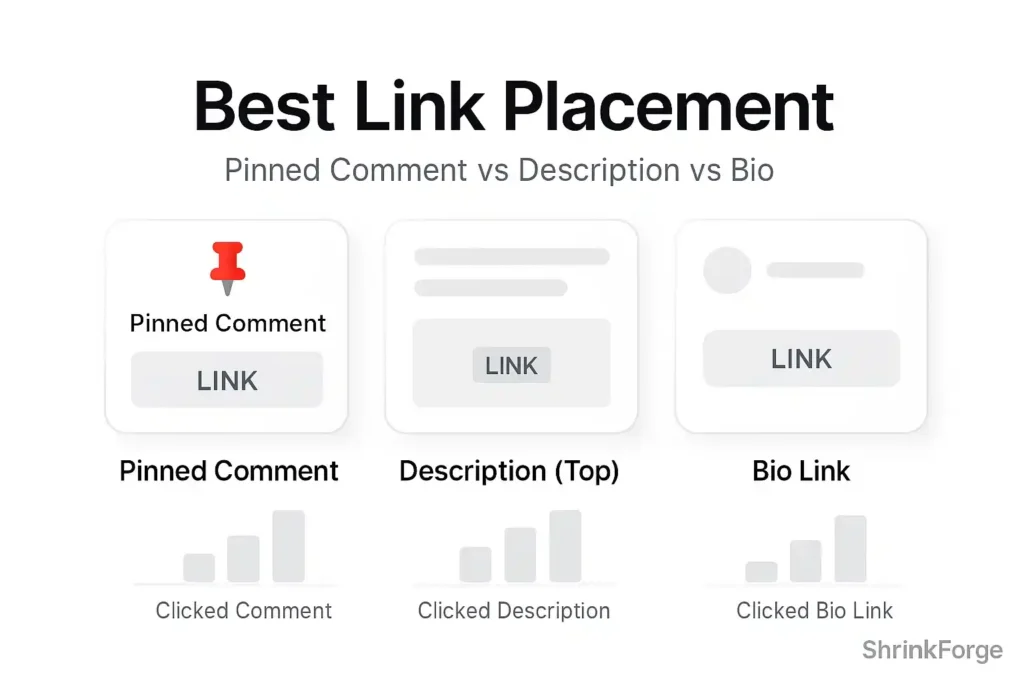
These are generalized patterns you’ll see once you start tagging traffic with UTMs. Use them as a baseline—then test your niche.
- Pinned Comment: High immediate CTR; decays fast
- Why it spikes: Fresh viewers skim comments for context; your pin sits first with “recency + social proof.”
- Why it fades: After 48–72 hours, traffic shifts to search/browse; fewer users expand comments.
- Best for: Timely or episode-specific offers; “tool used in this video”; limited-time promos.
- Top-of-Description: Moderate CTR; stable over time
- Why it’s steady: Search visitors and “how-to” viewers scan descriptions for the promised resource.
- Position rule: The first 2–3 lines matter most (above the fold on mobile).
- Best for: Tutorials, lists, and evergreen guides where intent is high.
- Bio Link: Low CTR per impression; high lifetime value
- Why low per-post CTR: It’s one step removed from the content.
- Why big lifetime impact: It compounds across all your content and partnership mentions.
- Best for: Always-on funnels (signup, master resource hub, referral page).
- Combo Effect: Comment + Description > either alone
- When both exist (and say the same thing in different words), total clicks increase without hurting trust—if it’s done cleanly and doesn’t feel spammy. Pinned comment is the “hook,” description is the “receipt.”
Rule of thumb:
- New content push: Pinned Comment wins early CTR.
- Search-driven evergreen: Description top-lines win reliable CTR.
- Brand compounding: Bio quietly wins over months.
Platform tips (YT / Pin / Reddit)
YouTube (Video + Community)
Pinned Comment
- Start with a benefit line + the link (not raw URL first).
- Add a micro-summary that answers the most obvious follow-up (“This is the exact template used at 03:12”).
- Heart the comment. Reply to early questions—this pushes visibility.
Description
- Put the primary link in line 1 or 2, with a short label.
- Keep formatting breathable: one primary link, then a “Resources” subsection later if needed.
- Use consistent UTMs:
?utm_source=youtube&utm_medium=description&utm_campaign={video}&utm_content=top-link
Bio
- Make your banner/profile value statement match your description link (message consistency).
- If you rotate offers, route the bio to a neutral “start here” page that you can update behind the scenes.
What usually wins: For tutorials and reviews, top-of-description drives the most persistent clicks. Pinned comment adds a day-1 spike. Bio compounds across your whole library.
Pinterest (Pins + Profile)
Pinterest doesn’t have “comments” in the same direct-response sense, so think Pin copy (title/description) as your placement choice, with Bio as your always-on backup.
“Pinned Comment” analogue: Overlay copy on the image.
- Treat your headline overlay like a pinned comment: benefit + outcome.
- Keep it legible on mobile (4–6 words max on the hero line).
Description (Pin text):
- Put the link in the Pin’s destination field (short link to a clean page).
- Use 1–2 sentences with a keyword and a promise.
- UTM example:
?utm_source=pinterest&utm_medium=pin&utm_campaign={board}&utm_content={creative}
Bio:
- Keep the bio link aimed at a resource hub (“Free tools & templates”).
- Align your board titles with search intent; your bio line should echo those angles.
What usually wins: The Pin destination (your link as best link placement) + clear overlay text. The profile bio supports new followers who discover you later.
Reddit (Posts + Comments + Profile)
Reddit is rule-driven. Best link placement depends on the sub’s policy.
Pinned Comment
- Not universal; you can top-comment your own post and edit quickly with clarifications.
- Works best when the post body is fully helpful and the link is optional (e.g., code gist inline, tool link in the top comment).
- Avoid “link dumps.” Mods remove them fast.
Description analogue: Post body with context.
- Lead with the value (mini case study, checklist, code).
- Place one best link placement at the end if allowed; label what it does, not what it is.
Bio:
- Your profile link is the safety net when a sub bans in-post links.
- Keep it neutral and helpful (“My free planner & tools hub”).
Learn more: Reddit Help — Reddiquette
What usually wins: A fully valuable post + a single, clearly labeled link if allowed. When not allowed, let your bio carry the click and mention “link in profile” once—no hard selling.
Quick tests (you can run this week)
Run these lightweight experiments to see your true best link placement winner per niche. Keep everything else constant (thumbnail/style) so you isolate placement.
Test A: YouTube Placement Split (3 videos)
- Video 1: Primary link only in Pinned Comment (no link in first 3 lines of description).
- Video 2: Primary link only in Description line 1–2 (no pinned link).
- Video 3: Both (comment + top description) saying the same benefit in different words.
- Measure: clicks/video view, CTR of description vs comment (UTMs), retention impact (does aggressive placement hurt watch time?).
- Expected: Video 3 typically wins total clicks; Video 2 wins stable clicks; Video 1 spikes early.
Test B: Pinterest Overlay vs No Overlay (6 Pins, same URL)
- 3 Pins with short overlay headline (“Free UTM Builder”) + minimal design.
- 3 Pins with no overlay (clean screenshot).
- Measure: saves, outbound CTR.
- Expected: Overlay improves initial CTR; text quality and legibility matter more than design complexity.
Test C: Reddit Body vs Top Comment (2 posts, same sub—if rules permit)
- Post 1: Full value in the body + one link at end.
- Post 2: Full value in the body, no body link, add link in your first top comment.
- Measure: removals, upvotes, click-through.
- Expected: Body link may be removed more often; top comment feels more “contextual” and survives longer—depends on mod rules.
UTM Map to keep your data clean:
- YouTube (description):
utm_medium=description - YouTube (pinned):
utm_medium=pinned_comment - Pinterest (pin):
utm_medium=pin - Reddit (post):
utm_medium=post - Reddit (top comment):
utm_medium=top_comment
Keep utm_source as the platform and utm_campaign as the video/pin/subreddit identifier to track well your best link placements.
Verdict (practical, not dogmatic)
- If your content is tutorial-driven or search-heavy: put the primary link in the first 2 lines of the description. Add a pinned comment to front-load engagement in the first 48 hours.
- If your content is newsy or episodic: prioritize a pinned comment with a benefit-first sentence. Add the same link near the top of the description to catch latecomers.
- If your platform or sub is strict: let the bio carry the click. Reference it sparingly (“link in profile”) and ensure the bio page is fast, honest, and valuable.
- Never sacrifice UX for placement. One clear CTA beats five weak ones. Consistency across thumbnail, title, on-screen cues, and copy multiplies CTR.
Want policies, payouts, and safe-posting guidelines in one place? Read the FAQ once and avoid rookie mistakes →
FAQ
Which placement gets the highest CTR overall?
For most tutorial content, top-of-description wins steady CTR, while pinned comment adds a launch spike. The combo usually wins total clicks—provided the copy is benefit-first and not repetitive spam.
Should I repeat the same link in multiple places?
Yes, but say it two different ways. Comment = conversational benefit (“This is the template from 03:12”). Description = formal label (“Download the checklist”). Same URL, different copy.
Does a link in the first comment hurt comments from others?
Not if you keep it short and helpful. Heart your comment, then reply to questions to keep the thread alive.
What about mobile users—do they even see descriptions?
Yes, but only the first 2–3 lines by default. That’s why the primary link must be above the fold with a clear label.
When is the bio link enough?
When the platform forbids in-content links or when your offer is evergreen and broad (“Start here”). It won’t win day-1 CTR, but it compounds quietly across everything you publish.